Wireless PS5 controller adapter for PC
No more Bluetooth drops.
The Blipfrog Adapter gives your DualSense its own wireless link to your PC. No dropouts, no re-pairing, and the haptics and adaptive triggers Bluetooth throws away. Plug it in — that's the whole setup.
30-day returns · One-year warranty · Secure checkout with Stripe · Built and shipped from Arizona
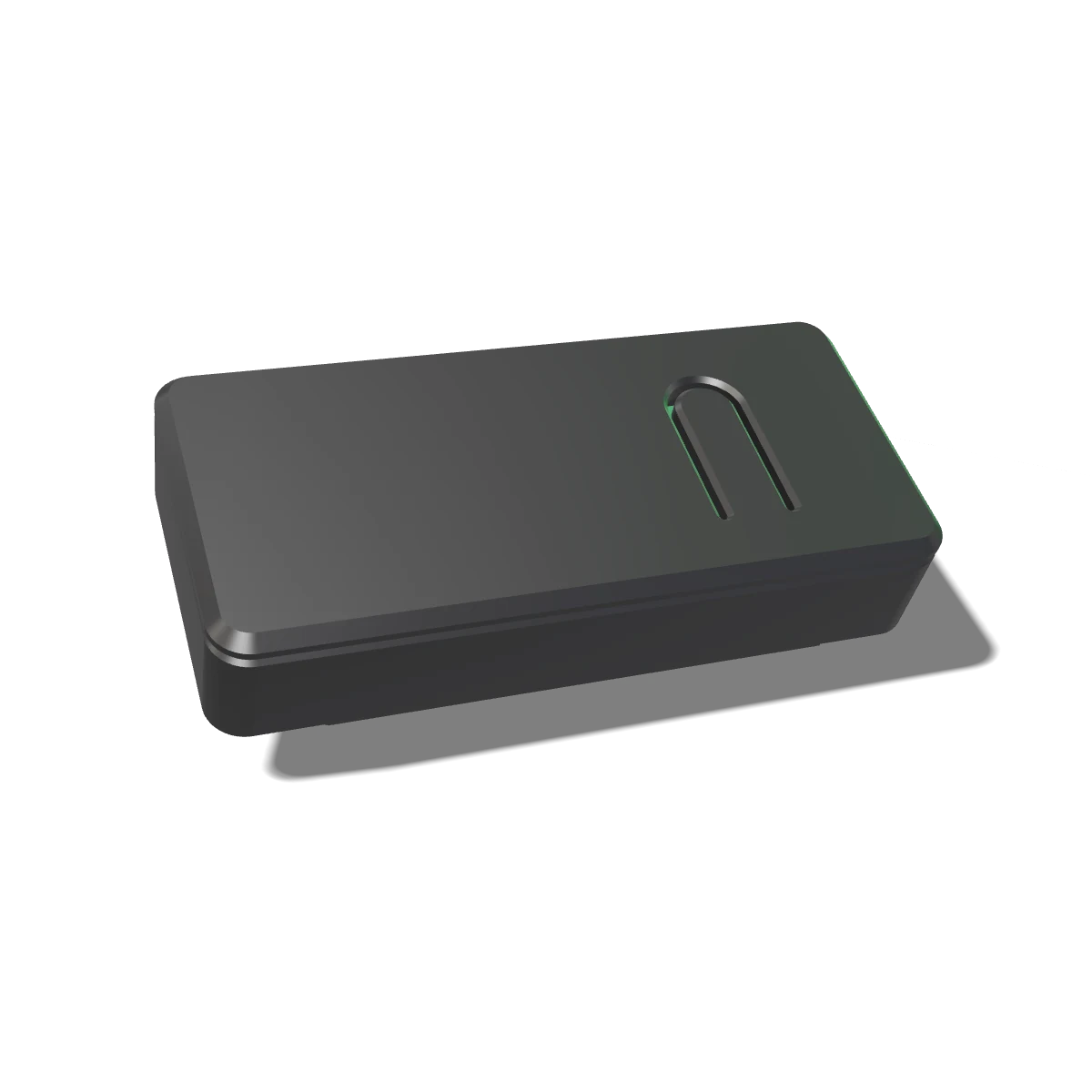 3D · live model
-
Its own radio
The adapter talks to your controller and nothing else. No shared PC Bluetooth, no Windows driver in the middle. It connects, stays connected, and reconnects on its own next time.
-
Feel everything
Plain Bluetooth strips out haptics and adaptive triggers. The adapter keeps them — the pull in the trigger, the texture in the rumble — exactly like a cable, without the cable.
-
Plug in and play
No drivers, no launcher, no account. Your PC sees a wired DualSense, so every game that works over a cable just works — Steam included.
-
Built by a person
Small batches, assembled and tested by hand in Arizona. If it ever breaks, you email a person — and that person is the one who built it.
Setup takes a minute
Plug in. Pair once. Play.
Plug the adapter in
Any USB-A port. Behind the PC? Use the included extension cable to bring it out into the open.
Hold PS + Create
With the controller off, hold both until the light bar starts flashing. Blip flashes green while he looks for it.
Play
Solid green means connected. From now on the adapter remembers this controller and reconnects on its own.
Blip tells you what's going on.
He lives in the adapter and does whatever the LED is doing.
Flashing green
Looking for your controller. Hold PS + Create until the controller's light bar starts flashing.
Solid green
Connected. You're wireless. Go play — the adapter remembers this controller from now on.
Off
No power reaching the adapter. Try the other end of the cable, or a different USB port.
Something's wrong
Unplug it, wait five minutes, plug it back in. That clears almost everything. If it doesn't, we will.
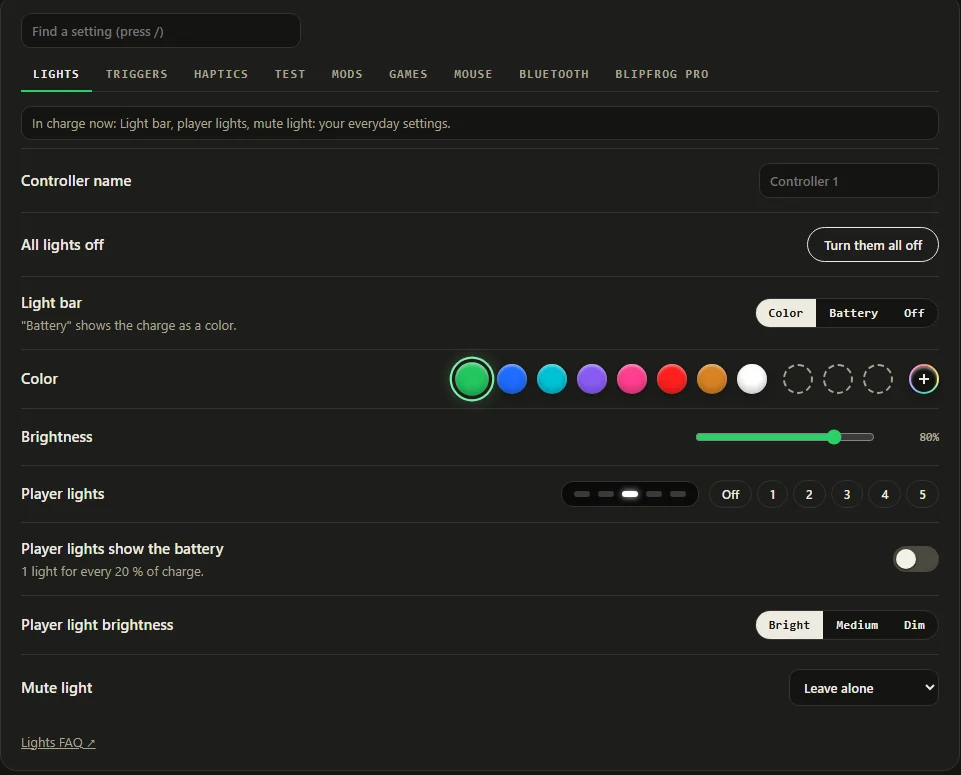
Free Windows app
Tune it your way.
Optional, free, and never needed to play. Open it when you want to change something.
- Pick your light bar color and what the player lights do.
- Dial in trigger and haptic strength, or leave it to the game.
- Check the battery, test every button, hear the speaker, try the mic.
- Firmware updates install from inside the app. Free, forever.
The hardware
Every one is built by a person.
No factory, no warehouse. Small batches, assembled and tested by hand, then shipped with tracking.
- Printed in-house in PLA+ — tougher and more heat tolerant than the standard PLA most printed cases use. Black or white, you pick at checkout. The 3D model up top is the actual case file, Blip on the bottom and all.
- A gold-plated USB extension in the box. Gold contacts don't corrode, which matters for something that lives plugged in behind a desk.
- Flashed, paired to a real controller and tested before it goes in a box. Not spot-checked — every single one.
- In the boxThe adapter and a gold-plated USB extension cable
- Works withPlayStation 5 DualSense wireless controller
- Works onWindows 10 and 11, including Steam
- Plugs intoAny USB-A port
- Response500 Hz out of the box, adjustable in the free app
- CaseBlack or white, printed in tough PLA+
- UpdatesFree, through the Windows app
- WarrantyOne year, plus 30-day returns
Compare
Nothing else gives you all four.
| Option | Wireless | Stable | Haptics | Adaptive triggers | Setup |
|---|---|---|---|---|---|
| Blipfrog Adapter | Yes | Yes | Yes | Yes | Plug in, hold two buttons |
| A USB cable | No | Yes | Yes | Yes | You're on a leash |
| Plain Bluetooth | Yes | Drops and lag | Basic rumble only | No | Pair, drop, re-pair |
| Mapper software | Yes | Still Bluetooth | Emulated | Usually not | Install, configure, maintain |
| An official Sony adapter | Doesn't exist | — | — | — | Keep waiting |
Order
Get yours.
Built by hand, tested on a real controller, shipped with tracking. Don't love it? Send it back within 30 days for a full refund.
- Free tracked shipping
- Black or white case
- Usually ships within 5 business days
- One-year warranty, 30-day returns
- Free tracked shipping, 7–21 days
- Black or white case
- Import duties and taxes collected on delivery
- One-year warranty, 30-day returns
Checkout is handled by Stripe. Questions before you order? Email us — a real person answers.
We ship to the US and Canada only for now. Blipfrog is an independent product, not affiliated with or endorsed by Sony Interactive Entertainment. PlayStation and DualSense are Sony trademarks, used here only to say what it works with.
Still deciding?
Straight answers on what it does, what it doesn't, and how returns work — or just ask. A real person replies, usually the same day.